
Product story
One native app for Files, Talk, Photos, and more
Nextcloud Native aims to make installed Nextcloud apps feel consistent on your phone and desktop, without opening their web pages.
Published · Updated · 5 minute read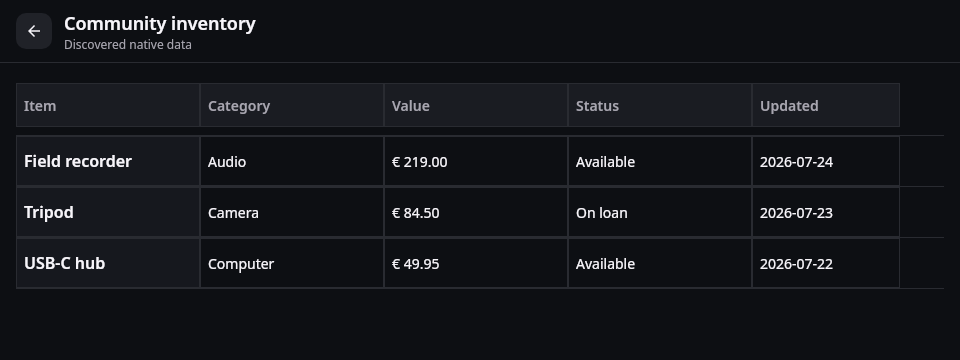
A Nextcloud can hold much more than files. It can be your photo library, group chat, calendar, address book, recipe collection, music library, project board, shared budget, and note archive. On the web those tools live together. On a phone, people often have to combine several unrelated apps, accept missing features, or return to a small web page that was never designed as a mobile workspace.
Nextcloud Native is an attempt to make the whole server feel like one product. The goal is not to place every web page inside an app. It is to understand the verified information and actions an installed Nextcloud app exposes, then present them with native components that are familiar on a phone or desktop.
A cloud made of more than files
Switching between apps creates more friction than another icon on the home screen might suggest. A file shared in Talk may preview differently from the same file in Files. Search may stop at the edge of one app. Back behavior, menus, caching, dark mode, and accessibility can all change from screen to screen.
It is also difficult for smaller Nextcloud apps to justify a complete Android, iOS, and desktop client of their own. People then have to choose between a capable web interface and a native app with only a fraction of the available actions.
A shared native workspace can solve both problems. Files, people, dates, media, tables, messages, and editable records are concepts that appear across many apps. They should behave consistently without erasing the parts that make each app useful.
From API-shaped screens to reusable native views
The first experiments proved that Nextcloud Native could discover API data, but they also exposed a bad failure mode: technically correct screens that felt like an API viewer. A list of every returned field is useful for debugging. It is not a useful mailbox, recipe, budget, calendar, or Kanban board.
The current direction starts with reusable semantic components instead:
- rows and columns can become an editable table;
- dated items can become a timeline or calendar;
- messages, senders, attachments, and reactions can become a conversation;
- images and videos can become a gallery with previews and media actions;
- records with totals and categories can become a compact dashboard;
- files keep the same preview, share, move, offline, and sync behavior wherever they appear.
Small app-aware hints are allowed when they materially improve the experience. The important boundary is that an adapter must verify an endpoint and its permissions. It may never invent an action because a field happened to have a promising name.
Following a file across the workspace
Imagine a colleague shares a photograph and a document in Talk. You open the conversation from the native Conversations area, read the message, and open the document. The file preview is the same component used by Files, so download state, sharing, offline availability, and the overflow menu are in familiar places.
You return to Home, open Photos & Memories, and find the photograph in its album. A global search can later find the conversation, the file, or another app record without requiring you to remember which Nextcloud app created it.
On desktop, the persistent navigation leaves room for a list and detail pane. On mobile, the same destinations become touch-sized rows and bottom navigation. The shared rules stay the same, but the desktop is not merely a stretched phone screen.
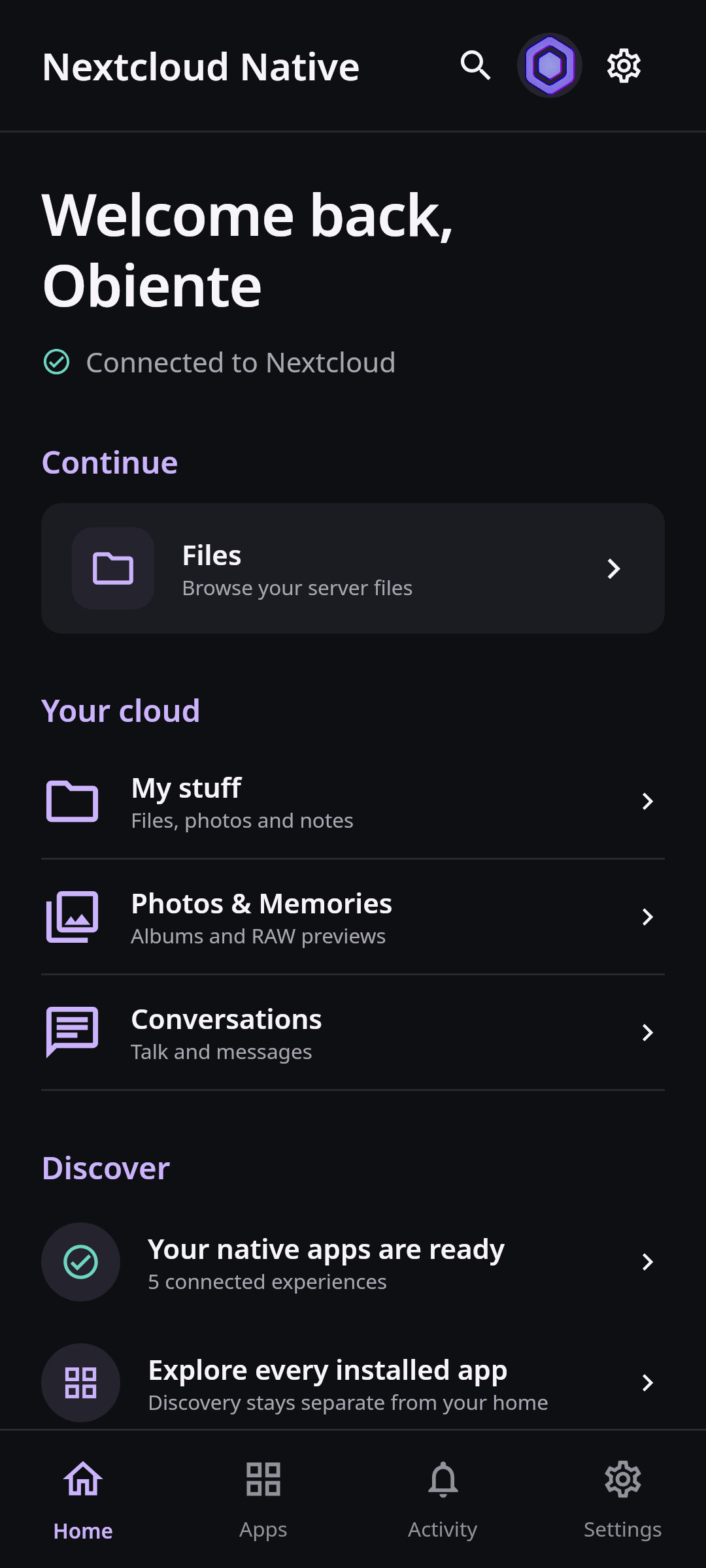 The mobile home uses the same deterministic fixture and real Compose components as the product gallery. It is rendered offscreen without a server, account, cache, device, or user media.
Where the developer build stands
The developer build already has native paths for core files, photos and Memories, Talk, activity, notes, and several dynamically discovered app shapes. It can connect to a real server and render much more than a generic JSON tree.
It is not yet a complete replacement for every official or community app. Some actions are read-only, some server versions still need verified contracts, and specialized experiences such as rich calendar editing, calling, mail composition, music playback queues, and complex dashboards require more work. The compatibility page is the source of truth for tested behavior. A promising screen is not counted as complete without real read, write, navigation, error, and state-restoration evidence.
The next reusable experiences
The next step is to deepen the reusable experiences rather than add more shallow cards. That includes context-aware forms that already know the current item and parent, proper tables and boards, native calendar and contact surfaces, consistent overflow menus, cross-app search, and fast cached startup.
The same component system will then be exercised against more open-source Nextcloud apps and multiple server versions. When a new data shape appears, the project can improve one shared semantic component and benefit other apps with the same shape.
Verified contracts come before inference
Discovery begins with server capabilities, app metadata, documented APIs, and safe reads. Those inputs become a typed, platform-neutral contract containing resources, fields, relations, actions, identifiers, and permission evidence. The renderer then chooses from a bounded set of native layouts.
Semantic inference can improve labels, grouping, and presentation, but execution remains deterministic. An edit or destructive action is only enabled when the contract provides a verified method, path, parameters, and permission. Learned presentation knowledge remains local to the device. The architecture and native schema documents describe those boundaries in detail.
Looking for concise version-by-version changes? Read the changelog.