
Android photo backup is built as an upload-only folder mapping with a separate durable media ledger. It records pending, uploading, failed, backed-up, changed-after-backup, and cloud-only states. The current UI tracks whether exact local bytes have a verified remote receipt; it does not yet provide a complete end-user camera-roll cleanup workflow, so do not delete originals based only on this guide.
Step 1 Allow media access and choose detected folders
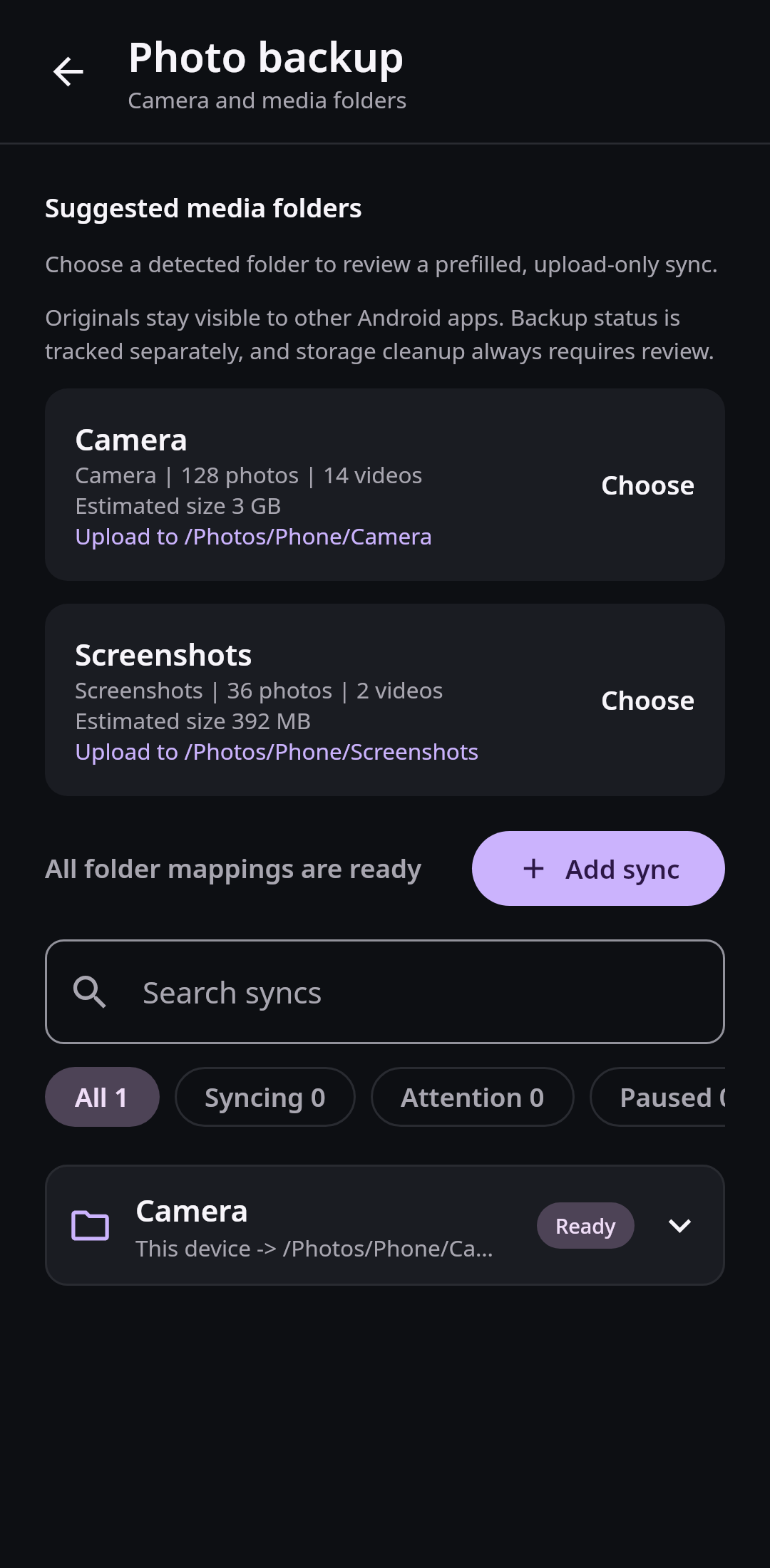
Android media discovery shows the permitted source and destination before creating an upload-only mapping, without requesting broad filesystem access. Real Compose UI Next: Review constraints and follow the durable upload queueOpen Folder sync, then the photo-backup suggestions. Choose Allow photos and videos when Android asks. On newer Android versions, limited selection means counts and previews cover only the media you permitted, not necessarily every item in the physical folder. Review that limitation before assuming the Camera count is complete.
Choose Camera, Screenshots, or another detected folder and inspect the proposed remote path. The mapping is prefilled as Device to Nextcloud, so remote changes do not write into the Android media collection. Add folders deliberately; screenshots, downloads, and messaging media can create a large or noisy library if selected automatically.
Step 2 Review constraints and follow the durable upload queue
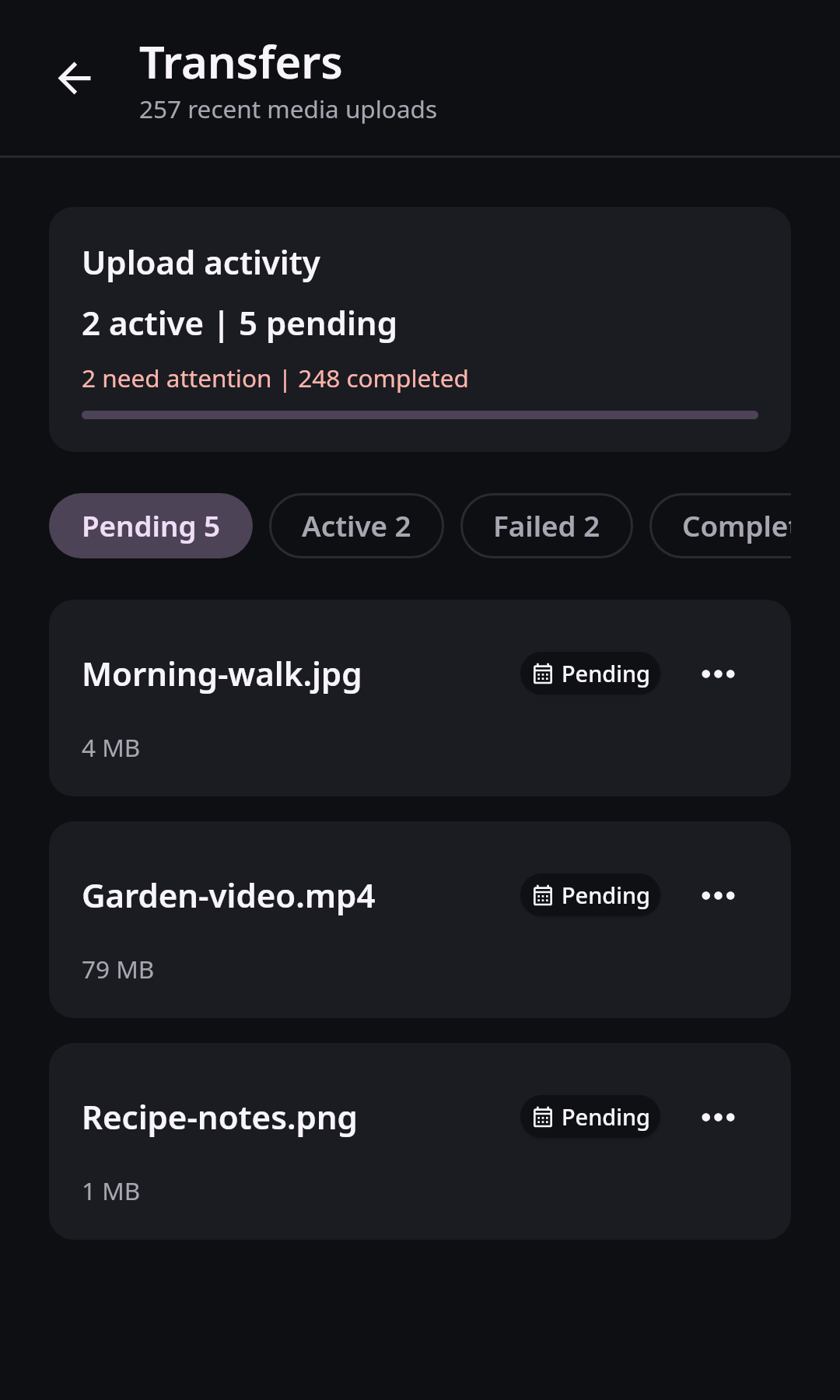
The Android transfer center keeps upload work and exact-version backup state separate instead of treating one empty progress bar as proof of completion. Real Compose UI Next: Verify exact backup receipts and preserve originalsReview the network and power policy before creating the mapping. Android schedules eligible folder work through WorkManager. Unmetered-only, battery-not-low, or charging constraints can defer an upload, and Android decides the exact execution time. Large videos may remain pending after smaller images complete.
Open Media transfers from Settings to inspect pending, active, failed, and completed records. A source that changes after a verified upload becomes changed after backup rather than silently retaining an obsolete success. Fix connection, quota, or permission problems before retrying a failed record. Clearing completed transfer history removes local history entries only; it does not remove local or Nextcloud media.
Step 3 Verify exact backup receipts and preserve originals
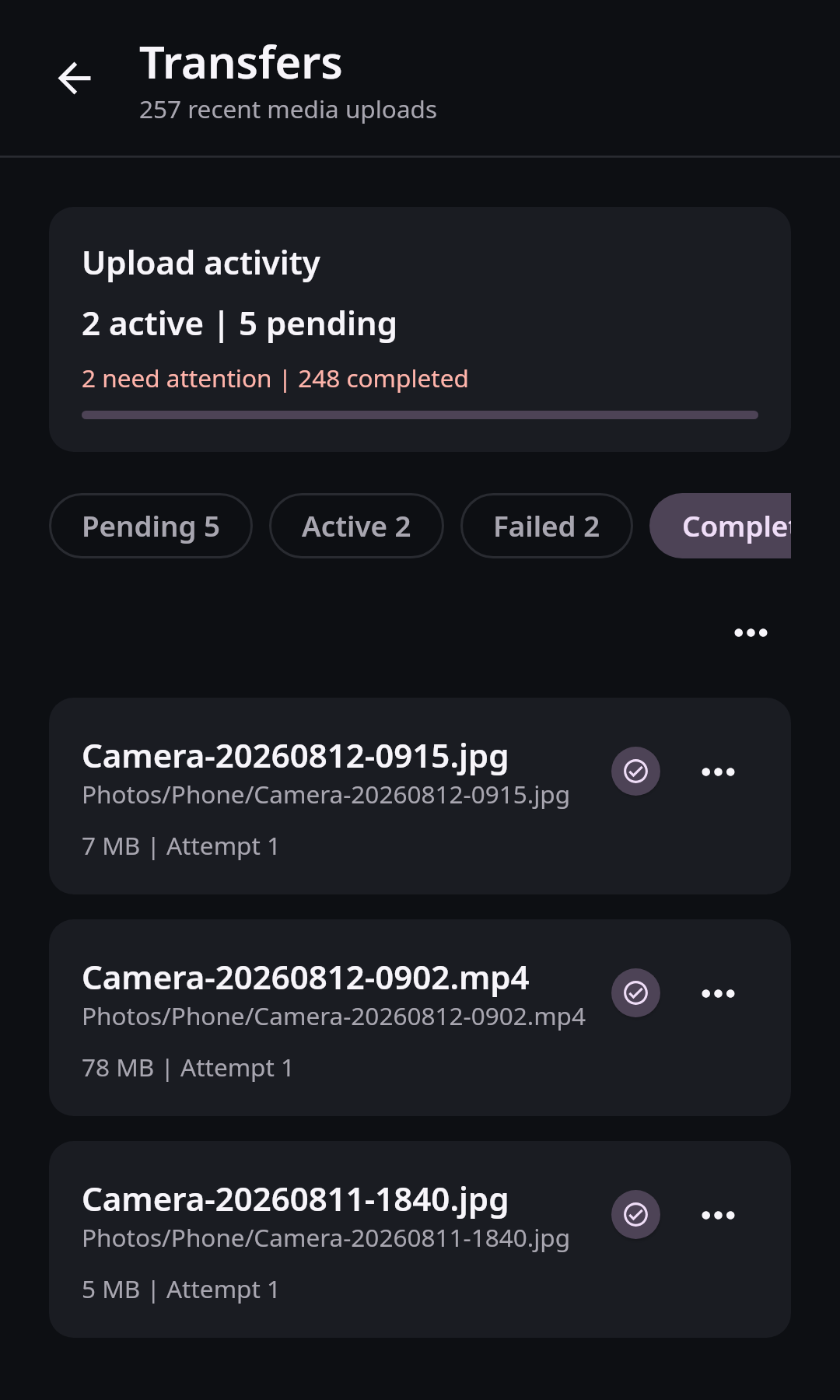
Completed media records retain exact local-version meaning instead of treating an empty upload queue as proof of backup. Real Compose UI Open Media transfers from Settings and select Completed. Confirm that recent Camera items appear as backed up. That status means the stored receipt matches the current local identity, revision, and size. You can separately browse Photos or Memories to check the remote destination, but seeing a preview there is not a substitute for the exact local-version receipt. Neither check turns synchronization into historical backup or proves an unrelated external backup contains the file.
The domain layer can determine when exact local bytes are eligible to be offered for reviewed reclaim, but the current product does not expose a complete general cleanup action for deleting camera-roll originals. Keep local originals unless Android presents a specific reviewed deletion request in a future supported release. Maintain an independent backup for irreplaceable photos and videos.